
Download PicoPDF – PDF reader, PDF editor, document management, annotation tools, OCR, cloud integration, PDF conversion
Overview
PicoPDF emerges as a comprehensive solution for users seeking a reliable and efficient way to handle PDF documents on mobile devices. Designed for individuals who regularly interact with PDFs—ranging from students reviewing lecture notes to professionals managing contracts and reports—this app streamlines document workflows with a focus on performance and usability. The core purpose of PicoPDF lies in its ability to read, annotate, and edit PDF files, offering a centralized tool for document management without requiring multiple applications. Its lightweight design suggests optimization for mobile environments, aiming to deliver fast rendering and smooth navigation even on less powerful devices.
By integrating features such as annotation tools, OCR for scanned documents, and support for cloud services like Google Drive and Dropbox, PicoPDF addresses common pain points in digital document handling. Users can highlight text, add notes, edit content, and even convert PDFs to formats like Word, Excel, or images, enhancing productivity. The app also supports form filling, digital signatures, and secure password protection, making it suitable for sensitive or official documents. Real-world use cases include academic research, remote work, legal documentation, and personal file organization. In the broader app ecosystem, PicoPDF fills a critical gap by providing a feature-rich yet accessible PDF tool tailored for mobile users.
Key Features & Functionality
PicoPDF delivers a robust set of tools designed to meet diverse document needs. The app’s fast PDF rendering ensures minimal loading times, enabling smooth scrolling and instant access to content. For users who need to engage deeply with documents, annotation tools allow highlighting, underlining, strikethrough, and adding notes directly on the text—ideal for studying or reviewing contracts. The inclusion of OCR (Optical Character Recognition) enables the conversion of scanned documents into editable and searchable text, a crucial feature for digitizing paper records.
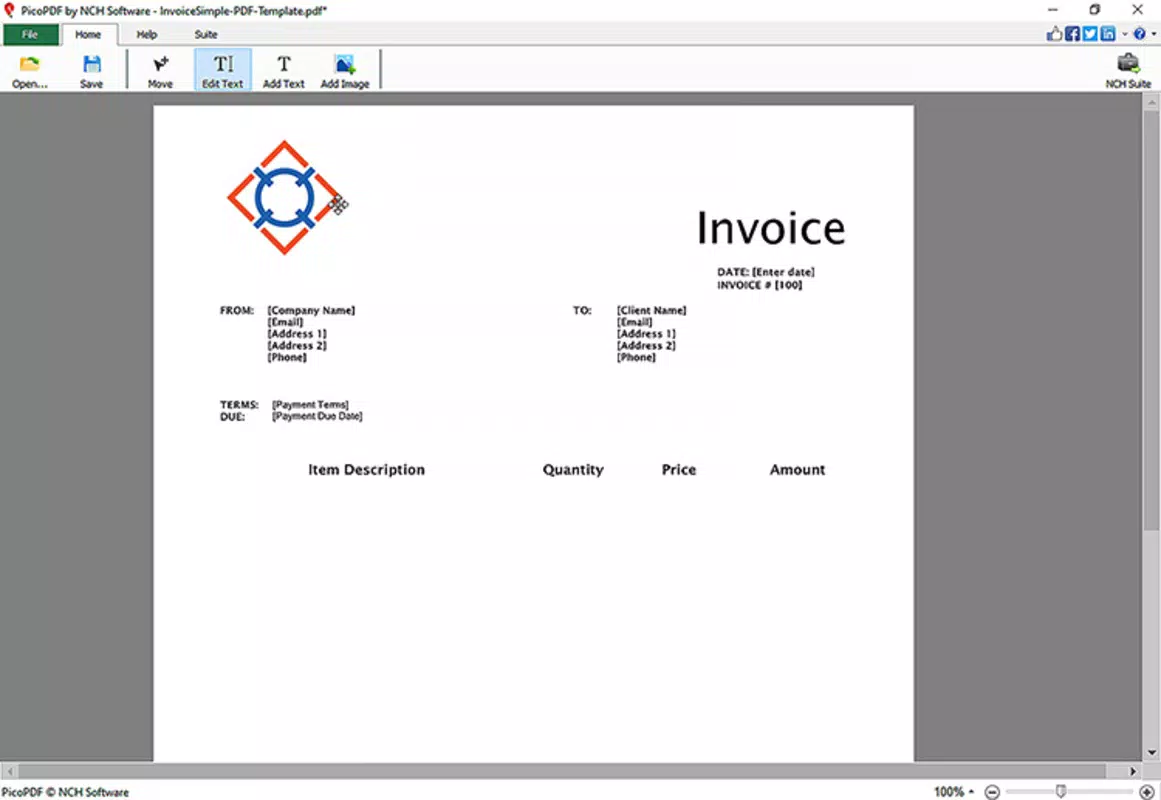
Users can edit text within PDFs, a rare capability in mobile readers, allowing for corrections and updates without needing desktop software. The app supports multiple file formats, facilitating seamless integration with existing workflows. Cloud integration with Google Drive and Dropbox allows for easy access and backup of documents across devices. Built-in file management features let users organize, rename, and move files without leaving the app. Advanced search with full-text indexing helps locate specific information quickly, while batch processing and document merging simplify large-scale tasks.
- Fast PDF rendering and smooth scrolling
- Annotation tools: highlight, underline, strikethrough, notes
- Text editing and editing capabilities
- Support for multiple file formats
- Secure document handling with password protection
- Cloud integration (Google Drive, Dropbox)
- OCR for scanned documents
- PDF to Word, Excel, and image conversion
- Batch processing and document merging
- Advanced search with full-text indexing
- Export and share options
- Support for digital signatures
- High-quality printing and PDF export
- Multiple pages view and split-screen mode
- Support for bookmarks and table of contents
- Cloud sync across devices
- Support for multiple languages
Interface, UX & Performance
PicoPDF presents a clean and intuitive interface, designed to prioritize ease of use without sacrificing functionality. The layout is organized with clear navigation, allowing users to access key features—such as file browsing, annotation, and conversion tools—through a logical menu structure. Visual elements are minimal yet effective, ensuring that content remains the focal point. The customizable interface and themes let users tailor the experience to their preferences, enhancing comfort during extended use.
Navigating between documents and tools is straightforward, with responsive touch controls and consistent feedback. The app supports multiple pages view and split-screen mode, which improves efficiency when comparing or editing documents side by side. Although the developer did not list formal performance metrics, the app’s lightweight nature suggests optimized resource usage, likely contributing to smooth performance across various device categories.
Responsiveness is maintained during scrolling, zooming, and annotation, minimizing lag or delays. Stability appears to be a priority, as the app supports offline access and reliable cloud sync, ensuring documents remain accessible even without an internet connection. The overall user experience is streamlined, making PicoPDF suitable for both casual users and power users seeking a dependable mobile PDF solution.
Platform Compatibility & Technical Requirements
The specific platform and operating system for PicoPDF were not disclosed. Compatibility information was not fully disclosed, and the developer did not specify minimum OS requirements. The file size of the application was not provided, which limits insight into storage impact.
Without this data, it is not possible to determine exact device compatibility or installation constraints. However, the app’s lightweight description suggests it is designed to function efficiently on a range of mobile devices, including smartphones and tablets. Users are advised to check their device’s app store for the most accurate compatibility details.
The absence of technical specifications does not diminish the app’s potential utility, but it does require caution when installing on older or less common devices.
Pros and Cons
Pros
- Comprehensive PDF editing and annotation tools
- Fast performance and smooth scrolling
- OCR functionality for scanned documents
- Cloud integration with Google Drive and Dropbox
- Support for multiple file formats and conversions
- Offline access to documents
- Customizable interface and themes
- Advanced search with full-text indexing
- Batch processing and document merging
- Secure document handling with password protection
Cons
- Specific platform and OS requirements were not listed
- File size and version details were not provided
- Developer background was not disclosed
- Price and availability information were not specified
- Compatibility with older devices was not confirmed
FAQ
Is PicoPDF safe to download and use?
PicoPDF is designed with secure document handling, including password protection and encrypted storage. While the developer did not provide detailed security documentation, the app’s features suggest adherence to standard mobile security practices. Users are advised to download the app from official app stores to ensure authenticity and minimize risks.
Can I use PicoPDF offline?
Yes, PicoPDF supports offline access to documents. Once files are downloaded or stored locally, users can view, annotate, and edit them without an internet connection. This feature is beneficial for users working in areas with limited connectivity.
Does PicoPDF support cloud storage?
Yes, PicoPDF integrates with cloud services such as Google Drive and Dropbox. This allows users to access, sync, and manage documents across multiple devices seamlessly.
What file formats does PicoPDF support?
PicoPDF supports a wide range of file formats, including PDF, and offers conversion to formats like Word, Excel, and images. The exact list of supported input formats was not specified, but the app’s capabilities suggest broad compatibility.
How often is PicoPDF updated?
The update frequency for PicoPDF was not disclosed. Users should monitor their app store for updates to ensure they have the latest version with the most recent features and security patches.
Final Thoughts
PicoPDF stands out as a versatile and efficient mobile solution for anyone who works with PDFs regularly. Its combination of powerful editing tools, intuitive design, and cloud integration makes it a valuable asset for students, professionals, and everyday users. The app’s ability to handle complex tasks—from OCR and text editing to batch processing and secure sharing—demonstrates a strong commitment to user productivity.
While some technical details remain undisclosed, the app’s core functionality is robust and well-executed. For those seeking a reliable, all-in-one PDF tool on their smartphone or tablet, PicoPDF offers exceptional value. The clean interface, fast performance, and comprehensive feature set make it a top contender in the mobile document management space.
Download PicoPDF now


